
Freelancers don’t have an IT department to blame — or to save them. Here’s how the freelancers who never lose client work actually run their backup routine, including a 10-minute Friday habit and what to do the moment a client asks for an old file.
For a freelancer, a lost file is a lost client.
There’s no IT department to blame, and often no second chance with that client either. The freelancers who never have this problem run a specific, simple routine.
Freelancers operate without the safety net a larger organization has — no IT department quietly running backups in the background, no colleague to double-check things. That makes backup discipline more important, not less, and it’s exactly why the freelancers who never lose client work tend to have a few specific, deliberate habits rather than just hoping for the best.
We’ve worked with over 500 businesses on backup strategy, including a meaningful number of independent freelancers and small studios. Here’s what consistently separates the ones who never have a bad story to tell from the ones who eventually do.
The 4 habits, in detail
1. Back up work-in-progress files, not just finished deliverables
It’s tempting to think only the final exported file matters, but the editable project file — the Photoshop document, the video project, the draft manuscript — is what actually lets you make revisions, reuse work, or recover from a mistake. Losing the working file while keeping only the final export is often just as costly as losing everything.
2. Organize client files so they survive a device failure without confusion
A consistent folder structure — client name, project name, date — means that when you’re restoring from a scheduled backup after a device failure, you can find exactly what you need quickly, rather than piecing together scattered files from memory.
3. Run a 10-minute Friday check before the weekend
Many freelancers we’ve talked to build a specific end-of-week habit: confirming this week’s client files were actually backed up, before logging off for the weekend. It’s a small ritual that catches problems before they become a Monday-morning crisis.
4. Know your answer before a client asks for something old
The question “can you resend that file from three months ago?” comes up more often than most freelancers expect. Having version history deep enough to answer confidently — and actually knowing how to search it — turns a stressful moment into a two-minute task.
A scenario worth planning for
“Can you resend that file from last month?”
This exact question comes up constantly in freelance work — a client wants a revision to something they thought was finalized, or needs an old asset for a new project. If your backup’s version history genuinely goes back far enough, and you know how to search it, this becomes a two-minute favor instead of an awkward “I’m not sure I still have that” conversation.
The 10-minute Friday check, as a checklist
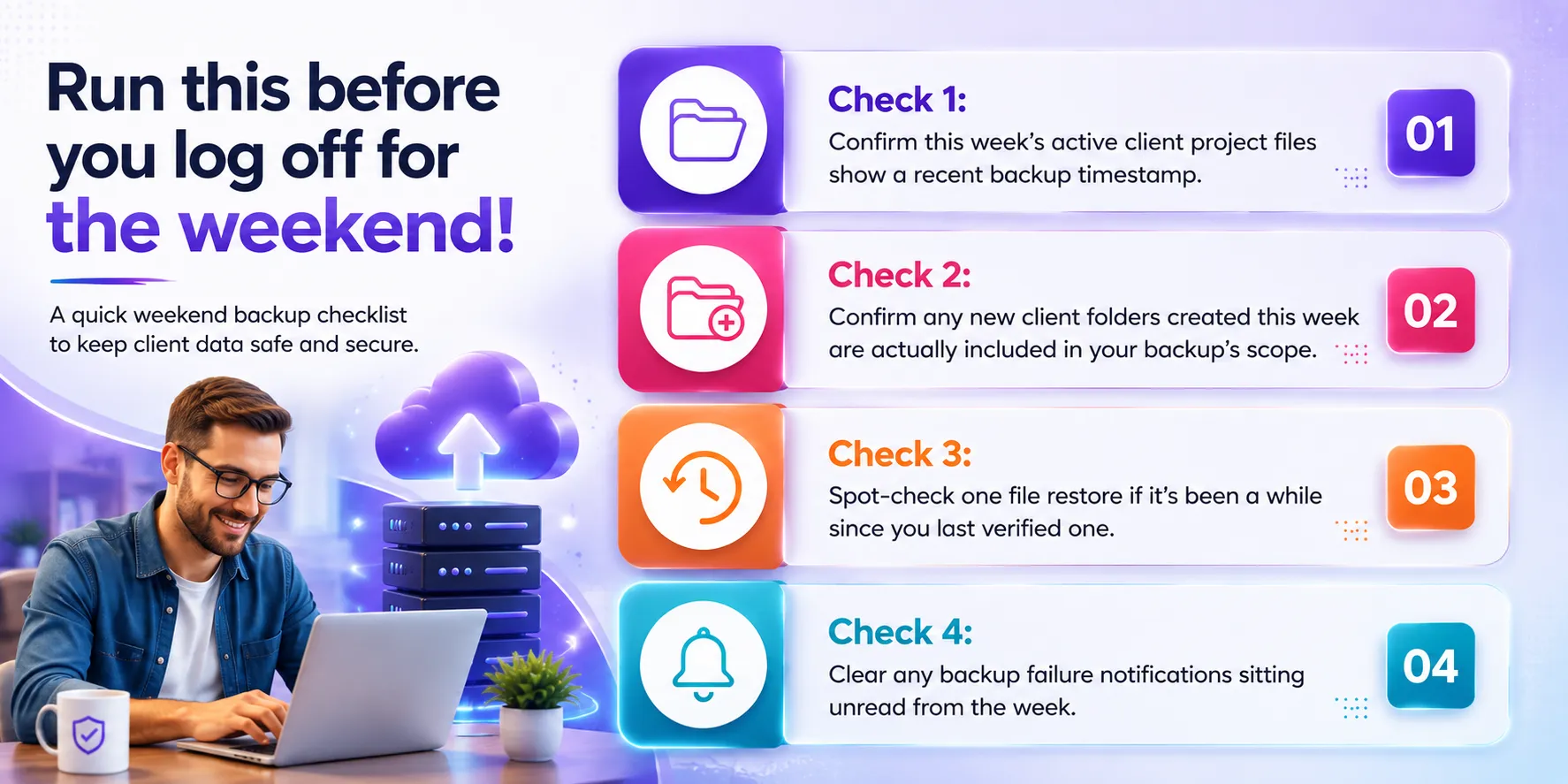
Run this before you log off for the weekend
- Check 1: Confirm this week’s active client project files show a recent backup timestamp.
- Check 2: Confirm any new client folders created this week are actually included in your backup’s scope.
- Check 3: Spot-check one file restore if it’s been a while since you last verified one.
- Check 4: Clear any backup failure notifications sitting unread from the week.
Frequently asked questions
Q: How far back should my version history go as a freelancer?
90 days is a reasonable baseline for most freelance work — it comfortably covers a typical project cycle plus a buffer for late client feedback or revision requests. If you work on longer-running retainer projects, consider whether you need a longer window for those specific clients.
Q: Should I organize by client or by project type?
Client-first (Client Name → Project Name → Date) tends to scale better for freelancers, since it mirrors how you’ll actually search for something later — “the file from the Acme project” is a much more common mental search than “the file from that logo design job.”
Q: What’s the fastest way to build the Friday check habit?
Set a recurring calendar reminder for late Friday afternoon, before you’d normally log off. Keep the check itself simple: confirm this week’s active project files show a recent backup timestamp, and you’re done in under 10 minutes.
Q: Do I need separate backup for client files vs. my own business files (invoices, contracts)?
Not necessarily separate systems, but it’s worth confirming both are actually included in your backup’s configured scope — it’s easy to assume business admin files are covered when only the client project folders were ever actually added.
None of these habits require a technical background or a big investment of time — just a small, consistent routine that most freelancers can build in a single week. The payoff is real: never having to have the conversation where you tell a client something is simply gone.
Rohan Kapoor
Co-founder & CPO at Softyz Inc.
Rohan has personally helped over 500 businesses, including freelancers and small studios, build reliable backup strategies that fit the way they work.