
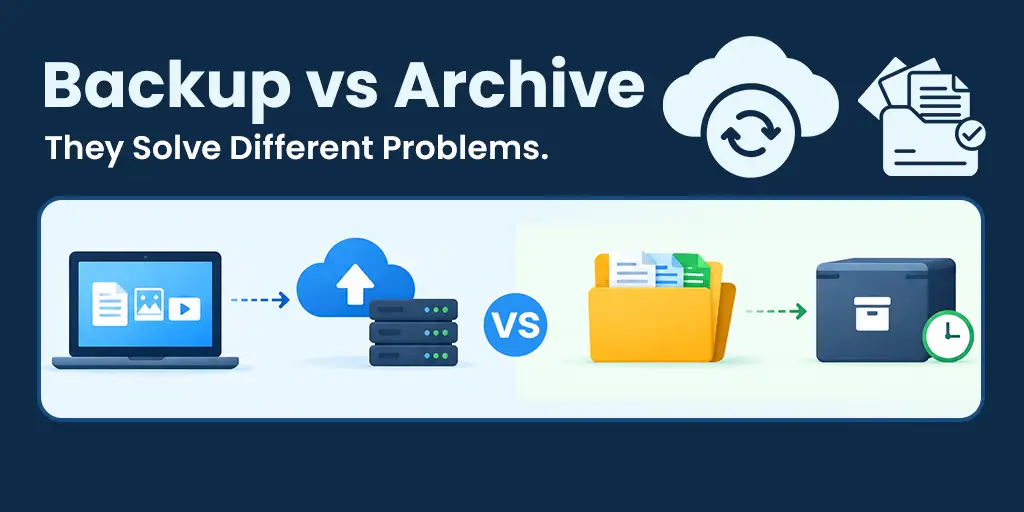
Backup vs archive: “I archived it” and “I backed it up” get used interchangeably — but they solve genuinely different problems.. Here’s the actual distinction, and a simple test to know which one you need.
“I archived it” and “I backed it up” get used interchangeably in everyday conversation, even though they describe genuinely different things. This mix-up trips up even experienced IT people, and treating one as the other creates real, sometimes costly gaps.
What backup is actually for
Backup exists to get you back to a working state quickly if something goes wrong — a deleted file, a failed device, a ransomware event. It’s optimized for restore speed and recency, protecting data you’re actively using right now.
What archiving is actually for
Archiving exists for long-term retention of data you’re deliberately keeping — often for compliance, reference, or historical reasons — that you rarely expect to need quickly. It’s optimized for cost efficiency and durability over time, not for fast retrieval.
Backup vs Archive: The Two, Compared Directly
Why treating one as the other creates gaps
Using an archive as a backup is the more dangerous mix-up
Using backup as an archive mostly costs you extra money — paying premium storage rates for data you rarely touch. Using an archive as a backup is riskier: discovering that your “backup” actually takes hours to retrieve exactly when you need it back in minutes, because it was never optimized for that.
A simple test to know which you need
Ask: how quickly would I need this back?
If the honest answer is “soon” — hours, not days — it belongs in backup. If the honest answer is “probably never, but I need to keep it” — for compliance, historical reference, or just in case — it belongs in archive.
Using both together correctly
Most organizations genuinely need both, configured deliberately rather than treating all their data the same way. Active, current data goes in backup; older data that’s aged past its likely-need window moves to archive. This tiering isn’t complicated to set up, but it does require actually deciding rather than defaulting to one approach for everything.
Frequently asked questions
Q: Can one tool handle both backup and archiving?
Some tools support both, often as different configured tiers or settings within the same platform. The important thing is configuring them differently — same tool, different treatment — rather than using one undifferentiated approach for everything.
Q: What’s the risk of using backup as an archive?
You end up paying premium, fast-access storage rates for data you’ll effectively never touch — an unnecessary ongoing cost that compounds over years for data that didn’t need that treatment.
Q: What’s the risk of using an archive as a backup?
The opposite problem: discovering that your “backup” actually takes hours to retrieve when you need it back in minutes, because it was optimized for cost rather than restore speed.
Q: How do I decide which one a specific piece of data needs?
Ask how quickly you’d need it back if something went wrong. If the answer is “soon,” it belongs in backup. If the honest answer is “probably never, but I need to keep it,” it belongs in archive.
Conclusion
Backup vs archive isn’t a competition they’re complementary, solving different problems for different kinds of data. Understanding the distinction, and applying it deliberately, closes a gap that even experienced IT people sometimes overlook.
Anita Murthy
Co-founder & CTO at Softyz Inc. Priya has spent 12 years building cloud security and backup infrastructure, and regularly advises customers on when added redundancy genuinely improves protection versus when it just adds complexity.